 Room to Spare for Mac
More room on your Mac.
Automatically.
When space runs low, Room to Spare moves files you haven’t opened in a month to your external drive, by itself. They still open from the same place.
Free for 14 days · macOS 14 or later

It happens on its own.
When free space drops below the amount you choose, Room to Spare moves old files to your drive, then lets you know. Nothing to drag, sort or delete.
 Archive
1.60 TB free of 2 TB
Archive
1.60 TB free of 2 TB
Files stay where you left them.
Each file is copied to your drive, checked, then replaced with a shortcut. Double-click it and it opens from the drive.



- Copy
- Check
- Shortcut
If your Mac shuts down or the drive gets unplugged in the middle of a move, nothing is lost.
Want to check first?
Turn on “Ask me before moving files” in Settings, and nothing moves until you say OK.
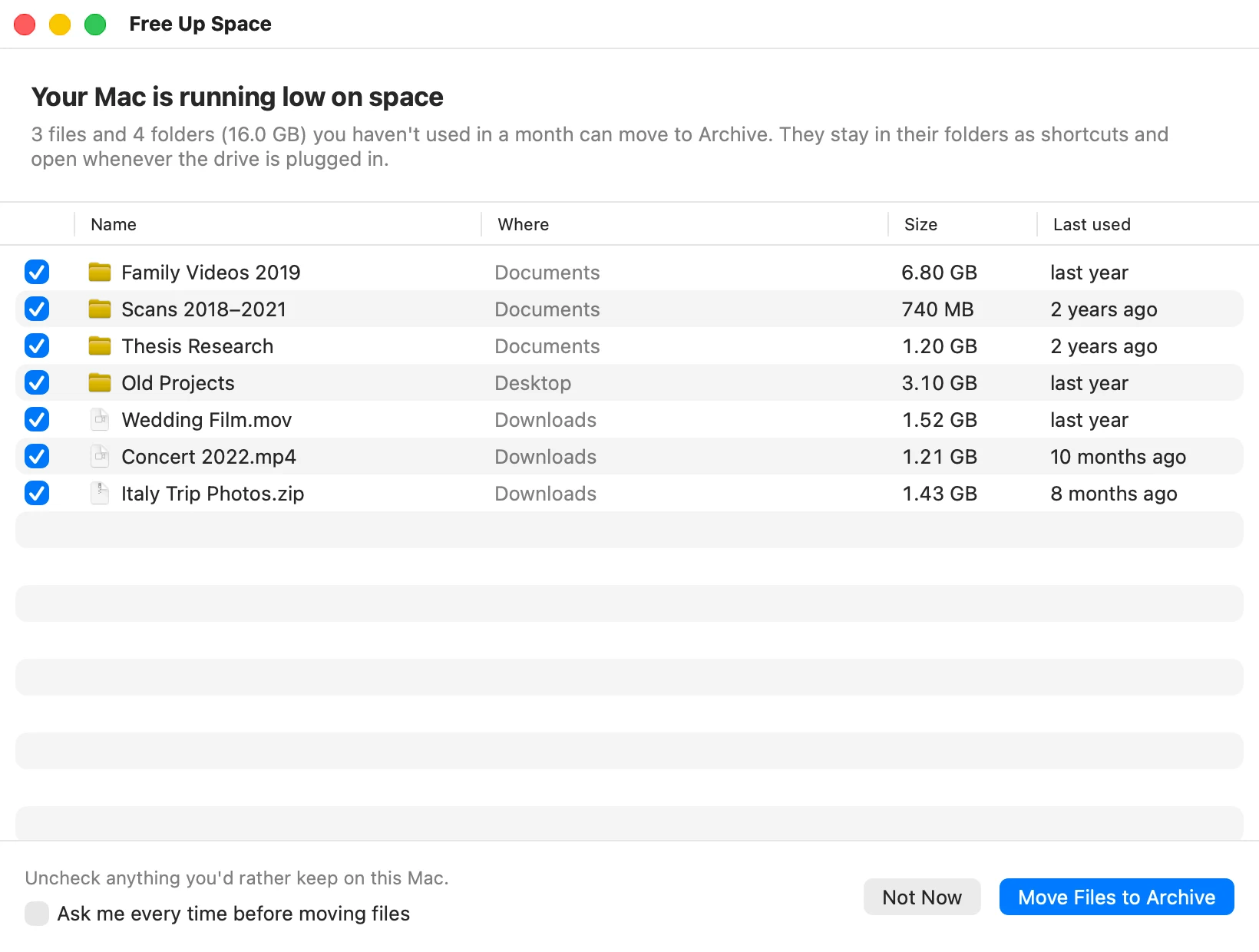
It never moves apps, photo libraries, iCloud Drive or files you’re using.
Bring anything back.
One file, a folder or everything, back to exactly where it was. Always free, even after the trial.
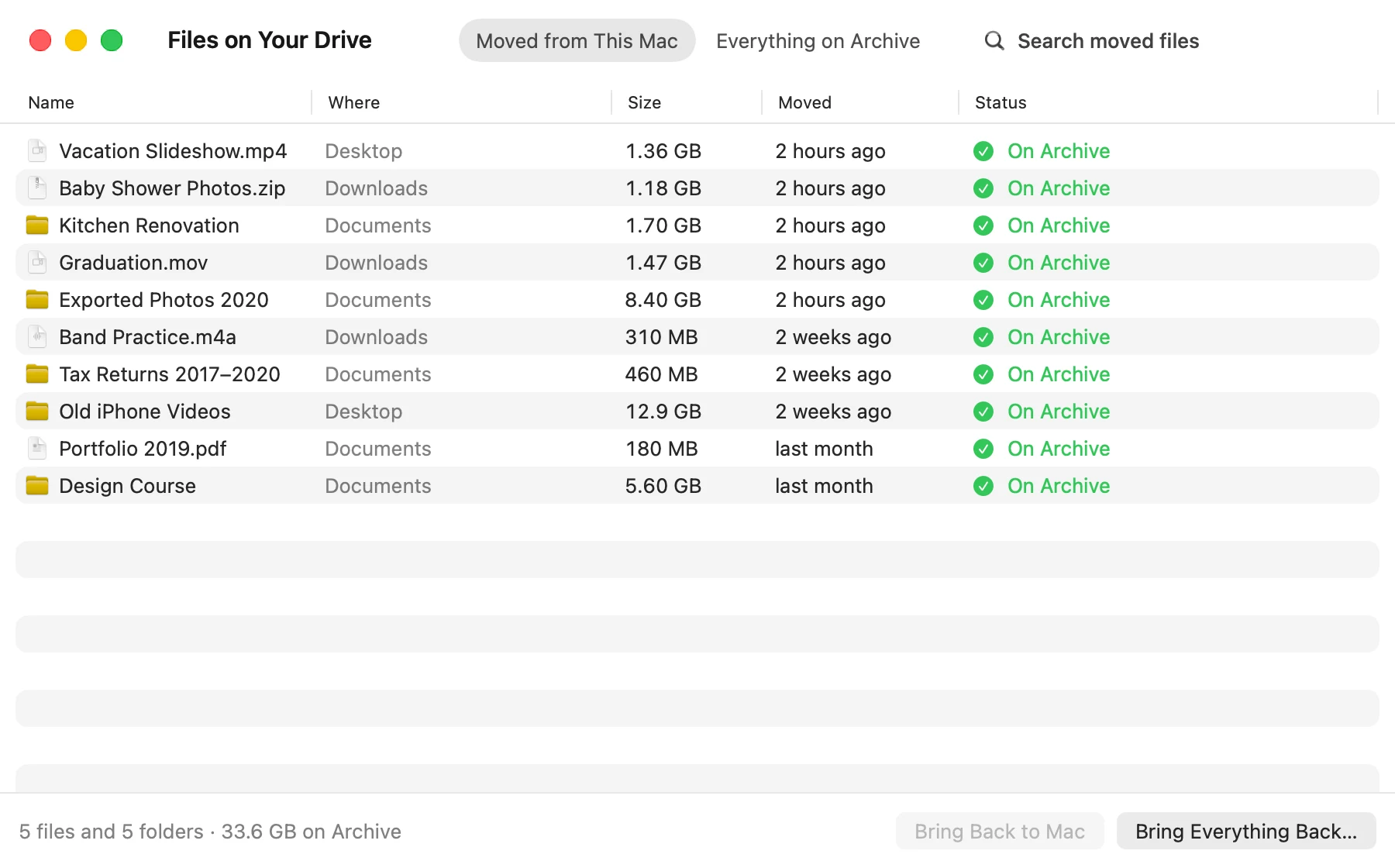
Moved files are only on your drive, so keep it backed up (Time Machine works).
One price. No subscription.
Room to Spare
$29
One-time purchase
Checkout by Lemon Squeezy. Local taxes may apply.